Social Media Marketing
=====
—–
* Course Id : DIGM-SOMM
* Duration : 40 Hours
Overview
—–
* Social media has become one of the best techniques for promoting business online
* Business owners can directly interact with their customers via Social Media
* It can also increase the opportunity of getting more potential customers
Pre-Requisites
—–
* No experience required
* Ability to use a web browser
* Awareness of search engines
Training Objectives
—–
All participants learn to:
* Draw more traffic to the website
* Promote a brand
* Increase product visibility and awareness
* Apply advanced social media communication principles
* Understand how important it is to form social media strategies based on business goals
Course Structure
—–
* We provide more focus on hands-on in our technical courses (typically 80% hands-on/20% theory)
* Students get the capability to apply the material they learn to real-world problems
Materials Provided
—–
* PDF of slides and hands-on exercises
* Access to instance with lab environment
Software Requirements
—–
* Any current internet browser
Hardware Requirements
—–
* Processor: 1.2 GHz
* RAM: 512 MB
* Disk space: 1 GB
* Network Connection with low latency (<250ms) to Internet
## Daywise Course outline
—–
## Day 1
—–
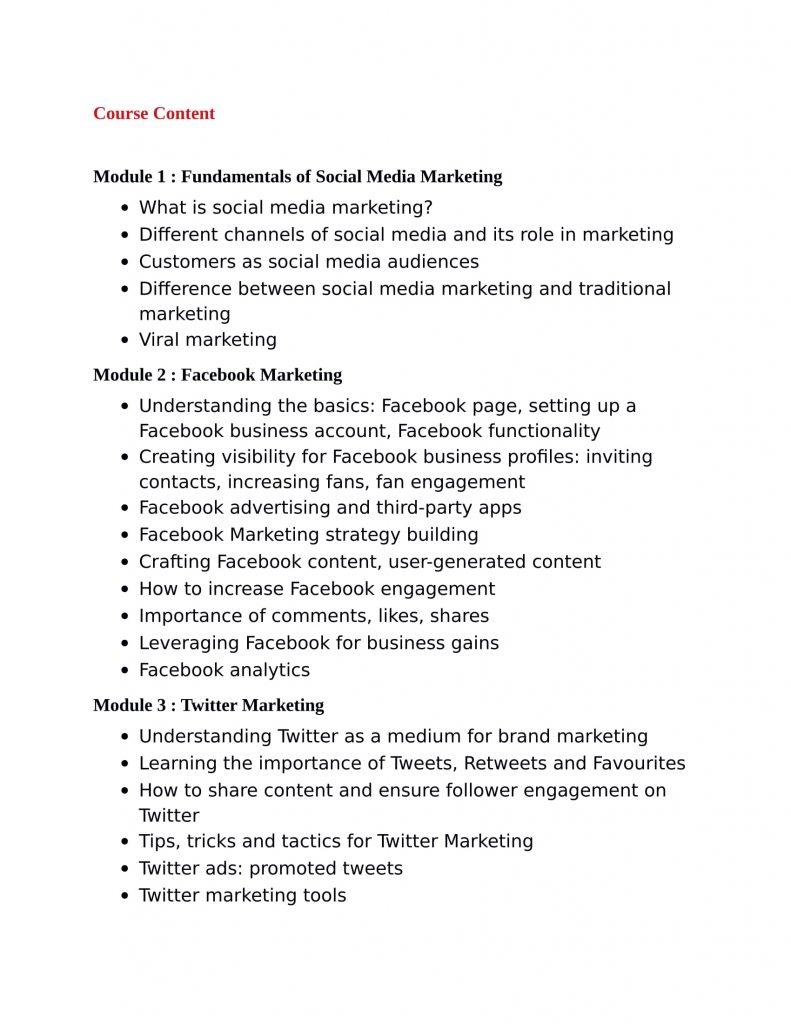
* Unit 1 : Introduction to Social Media Marketing
* Unit 2 : Working With Facebook
* Unit 3 : FaceBook Ads
## Day 2
—–
* Unit 4 : Other Facebook Campaigns
* Unit 5 : Statistics
* Unit 6 : Report Generation And Analysis
## Day 3
—–
* Unit 7 : Working With Twitter
* Unit 8 : Twitter analytics
* Unit 9 : Marketing On LinkedIn
## Day 4
—–
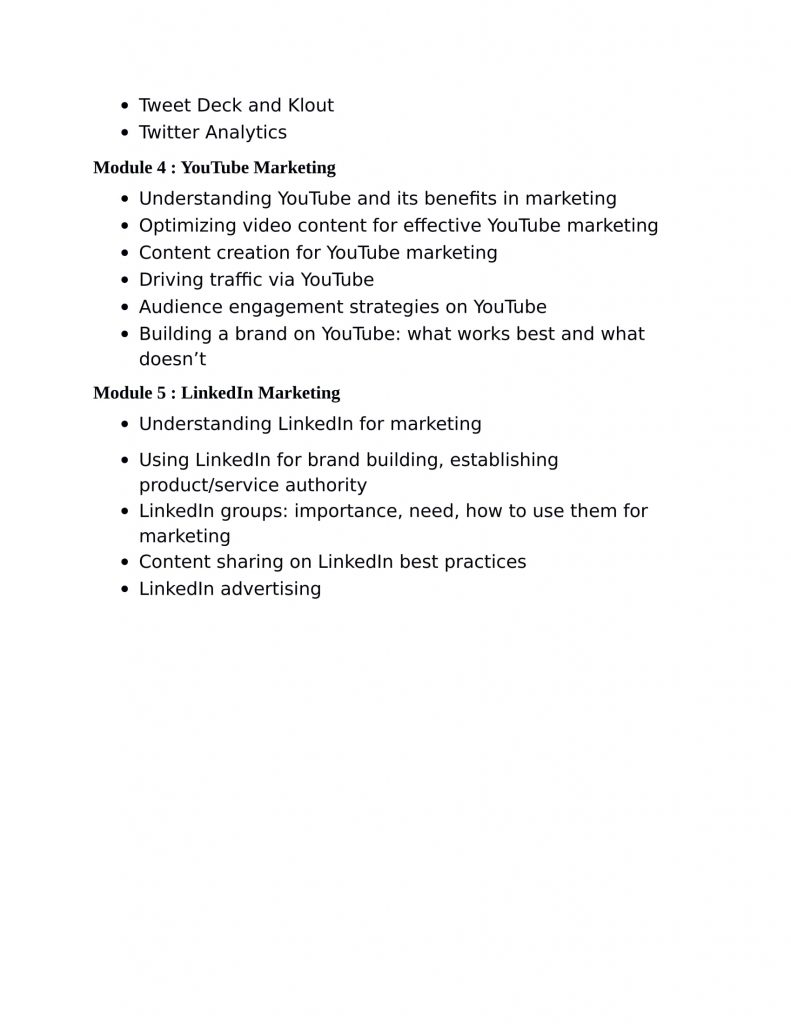
* Unit 10 : Lead generation using LinkedIn
* Unit 11 : Marketing via YOUTUBE
## Day 5
—–
* Unit 12 : Youtube Advanced
* Unit 13 : Working with Pinterest
* Unit 14 : Analytics in Pinterest
## Detailed Course Outline
—–
Unit 1 : Introduction to Social Media Marketing
—–
* Popular Social Media
* Planning
* Implementation
* Monitoring
* Updates
Unit 2 : Working With Facebook
—–
* What do you want to get out of your social Web participation?
* How to increase Facebook likes, shares, Reach for posts
* How to find targeted audience on facebook?
* How to create facebook page?
* How to create Facebook groups and participate in a right way?
* Creating Events
* Customizing tabs in facebook page
* Settings
* Page roles
* Cross posting
* Response Assistant
Unit 3 : FaceBook Ads
—–
* Understanding Campaign
* Adgroup
* Ads Structure
* Brand awareness Campaign
* Reach Campaign
* Likes Campaign
* Event Response Campaign
* Boost Post Campaign
* Lead Generation Campaign
* App install Campaign
Unit 4 : Other Facebook Campaigns
—–
* Video Campaign
* Conversion campaign
* Difference between Custom Audience and look alike Audience
* How to use audiences
* Upload custom audience
* Run ads for different campaigns
* Retargeting on Custom Audience
Unit 5 : Statistics
—–
* Reach
* Impressions
* Clicks
* Click through rate
* Conversion
* Conversion rate
* Link clicks
* Link click through rate
Unit 6 : Report Generation And Analysis
—–
* How to generate the reports after running live campagins?
* Analysing the reports and calculating ROI.
* Applying filters
* Applying Rules
* Break down results
* Generating reports
Unit 7 : Working With Twitter
—–
* How to find targeted audience on Twitter
* Creating twitter profile
* Increasing followers on twitter
* Using hash tags
* Embedding the tweets
* Likes
* Retweets
* Lists
* Moments
* Integrate twitter with facebook and other tools
* Customizing twitter profile
Unit 8 : Twitter analytics
—–
* Analysis
* Find Targeted Audience
* 3rd party tools
* Competitor analysis
* Follows
* Unfollows
* Net followers
* Location wise followers
* Twitter ads
Unit 9 : Marketing On LinkedIn
—–
* Creating LinkedIn profile
* Creating LinkedIn page
* Increasing connections by using various techniques
* Discussion on 1st connection , 2nd connection, 3rd connection
* * Finding company pages and following them
* Sending personal invitation
* Who’s viewed your profile
* Notifications
* Messages
Unit 10 : Lead generation using LinkedIn
—–
* Using Advanced filters to find targeted professionals on LinkedIn
* Alumni to connect with previous employers or educational groups
* Creating groups and participating in LinkedIn
* Group access levels
* Page access in LinkedIn
* LinkedIn pulse and content marketing strategies
* LinkedIn Ads
* Display ADS
* Inmail ADS
* CPC ADS
* Sponsored ads
* Lead Generation ADS
Unit 11 : Marketing via YouTube
—–
* Introduction
* Creating a channel
* Uploading Videos
* Editing Videos
* Adding links
* Advertising
* InStream Ads
* TrueView Ads
Unit 12 : Youtube Advanced
—–
* Promoted Videos
* Homepage Ads
* First Watch Ads
* Display Ads
* Mobile Ads
* Insights
* Marketing Strategy
Unit 13 : Working with Pinterest
—–
* Creating Pinterest profile
* Creation of Boards and Pins
* Adding pins in relevant boards
* Increasing followers
* Finding right pins using hashtags
* Increasing network in pinterest
Unit 14 : Analytics in Pinterest
—–
* Importance of image sharing and role of pinterest
* Indexing pinterest images
* Repins and boards concept
* Sharing pins
* Pinning other pins in our boards
* Pinterest analytics
* Website analytics in Pinterest